
Explore native compression
See how a local JPEG changes in file size and pixel dimensions after native resizing and compression. Choose Android or iOS to see that runtime's recorded output. The reduction includes resizing; it does not measure compression alone.
The colored image is a synthetic test pattern for checking orientation and detail. It is not a real-photo quality comparison. Move the slider to reveal the original over the output at the same display size. These are archived native results; the website does not run compression on your files.
One recorded example
See the file size change.
A local JPEG, resized and compressed on Android.
Original JPEG1.72 MB4000 × 3000 px
Android output227 kB1600 × 1200 px
86.8% smaller filein this sample, including resizing
JPEG quality up to 90 · target 500 kB · metadata stripped
The colored test pattern makes flipped orientation and lost detail easier to spot. Both images are displayed at the same size below; the output has fewer pixels. This is not a photo-quality benchmark.
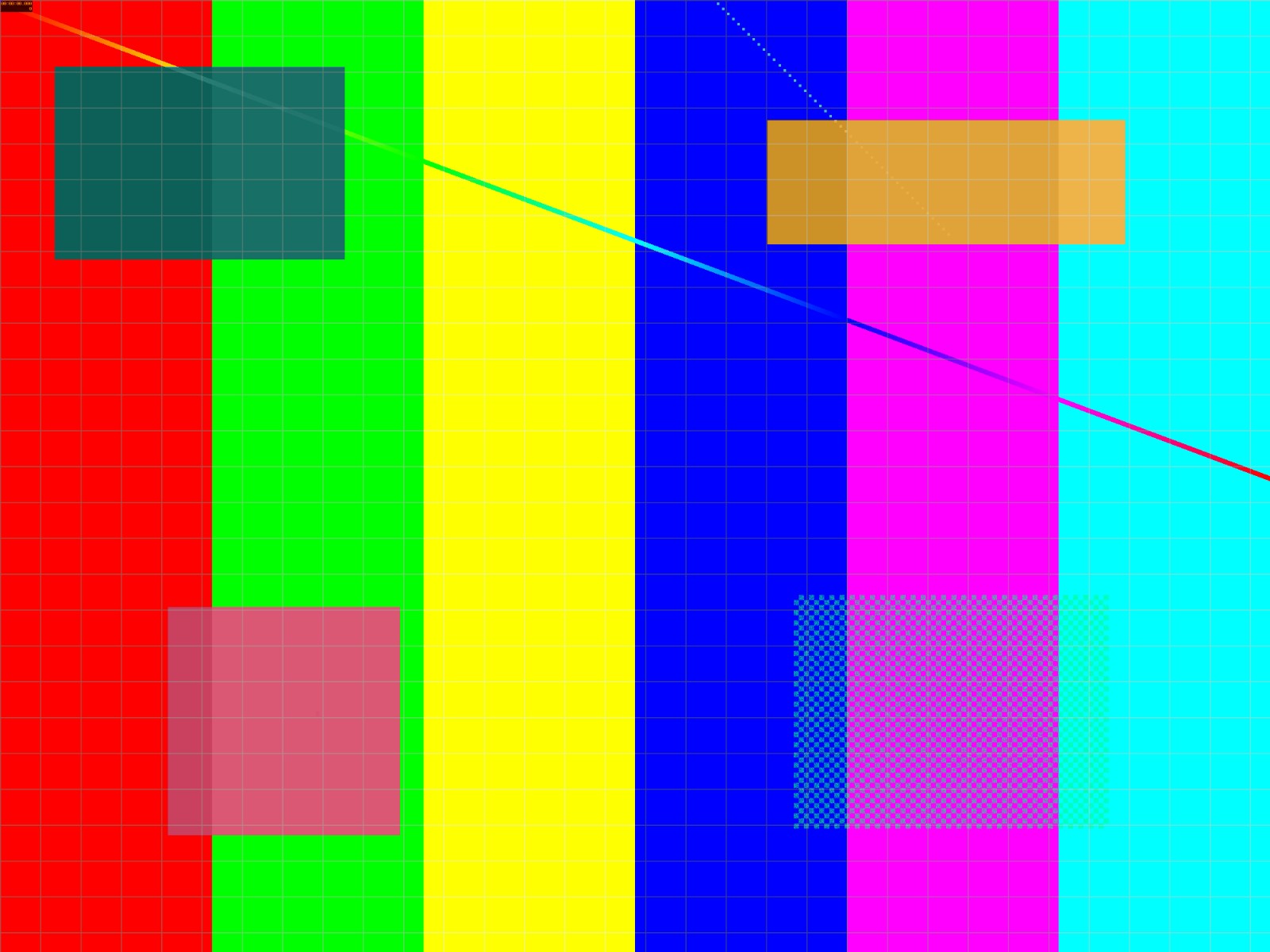 Output
Original: 1,721,333 bytes → output: 227,139 bytes.
Recorded with a synthetic test image on native runtimes. Results vary by image and device. This page does not upload or compress your files.
Captured from the 0.4.1 source candidate. Published npm latest is 0.4.0.
The source-tree capture shown above uses the corrected iOS renderer. It does not describe the published npm 0.4.0 artifact. Open the capture link for its exact commit and workflow, or inspect the full evidence archive for options, cleanup observations, visual checks, and original artifacts.
Build your own request
These controls generate React Native code for your app. They do not change the recorded comparison. Start with the quick start for installation and cache-file ownership.
Configuration builder
Generate capability-aware code
This builder produces React Native code. It does not compress an image in your browser.
React Native
const requestedFormat = 'webp' as const;
const capabilities = await getImageCompressionCapabilities();
const canWrite = capabilities.formats.some(
  item => item.format === requestedFormat && item.output
);
const outputFormat = canWrite ? requestedFormat : 'jpeg';

const result = await compressImage({
  source: { uri: imageUri },
  resize: { maxWidth: 2048, mode: 'contain' },
  output: { format: outputFormat, quality: 80, maxBytes: 500000 },
  metadata: 'safe',
});
Earlier native walkthroughs
The videos below preserve an earlier capture, including the known iOS defect. They remain available so an integration can distinguish published behavior from subsequent source fixes.
These are results from the repository's real Android and iOS example apps—not browser substitutes. Both captures used repository package version 0.4.0 at post-release source commit 11b91af, not the immutable v0.4.0 release-source commit, in Native Demo Evidence run 31078379910.
Affected evidence, preserved for traceability: the v0.4.0 iOS renderer vertically inverted the already auto-oriented source pixels. The iOS video, screenshot, and output below document that defect and are not a passing visual-integrity result. The 0.4.1 source candidate removes the duplicate transform and rejects captures unless upright SSIM is at least 0.90 and beats the vertical-flip control by at least 0.02.
Guided walkthroughs
iOS · affected v0.4.0 capture · 26.6 seconds
Each recording shows the capture-only app moving through the real Source, Options, Capability, Compress, and Result stages. The hosted recorders capture native frames, ffmpeg aligns them to the independently logged walkthrough timeline, and the final six seconds hold the exact native result screenshot. The manifest and SHA-256 digests remain the verification authority.
Shared compression request
ts
await compressImage({
  source: { uri: bundledLocalFileUri },
  resize: { maxWidth: 160, maxHeight: 160, mode: 'contain' },
  output: { format: 'jpeg', quality: 76, maxBytes: 8_000 },
  metadata: 'safe',
});
Native codecs can produce different bytes across OS and device versions. These captures are traceable and replayable in their recorded environments; they do not claim cross-runtime bit-for-bit determinism.
Platform evidence
Android


- Runtime
- Android 15 / API 35
- Device
- Google sdk_gphone64_x86_64
- Output
- JPEG · 100 × 160
- Ratio
- 0.167 · 16.7% of source bytes
- Captured
- 2026-08-06 06:54:27 UTC
SHA-256
- Source
5bd83125571f96b575b25f3172630a0a6dd61223ca310b586538c3d5b5f0a830- Output
1ef3c5b545643617b0cb5449ad1589a7eb6f19b850331fd40e8f47990d9dc0b4- Screenshot
27b276a47f8972e89b49590b762fcb99137c73798fbde1ab45c1a1c34600908c- Recording
89c0a7cd3a921bbec9c6a796689048fe525e2dd709b0d8b12211fdb62d739847
iOS · affected orientation


- Runtime
- iOS 26.4
- Device
- iPhone 17 Pro simulator
- Output
- JPEG · 100 × 160 · visual integrity failed
- Ratio
- 0.709 · 70.9% of source bytes
- Captured
- 2026-08-06 07:03:57 UTC
SHA-256
- Source
cf6d942c3fbf81442723bc64cab2d5133044494ad0b1e79d6dc9c280519742f2- Output
2d67403a25ea1cc262805368e7b2b66e2438e605084f042b43151e3c8b0ddca1- Screenshot
6f6797b717979bb0e4461ef6868f8ea2e1ba284b72e6633d3b8a82a377109e8d- Recording
09413ceedf6bb4774c35ec68f010a9d677e7737d8b07ceef8ae0aaeea45281e8
Verify and reproduce
The merged evidence manifest records the complete options, results, file sizes, digests, source identity, and per-platform walkthrough timeline. Verify the checked-in bundle without a network:
bash
pnpm verify:demo-evidenceTo recapture from the example apps, dispatch the repository's Native Demo Evidence workflow with the exact source SHA. Maintainers then merge the downloaded Android and iOS artifacts with pnpm merge:demo-evidence; the launch runbook keeps the full review procedure.